tonyudotong.com / skillsSix skills · four repos · all public
Agent Skills
A skill is only worth publishing if you can show what comes out of it.
These are the Claude Code skills I've written and published. A skill is a folder with a SKILL.md in it: instructions the agent loads when your task matches, so it does the thing your way instead of its way.
The problem with skill catalogues is that they list descriptions. A description tells you nothing about whether the output is any good. So every entry on this page carries a demo — the actual artifact the skill produced, or the pattern it enforces, running here in the page. Where the skill makes a video, the demo is that video.
01
/proof
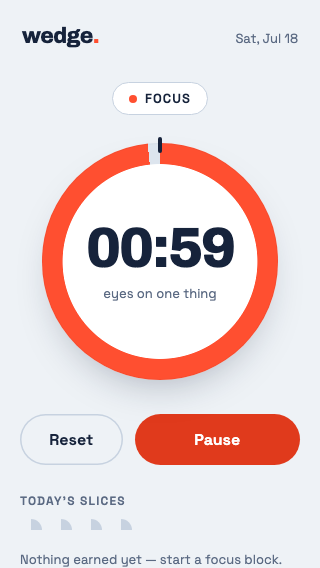
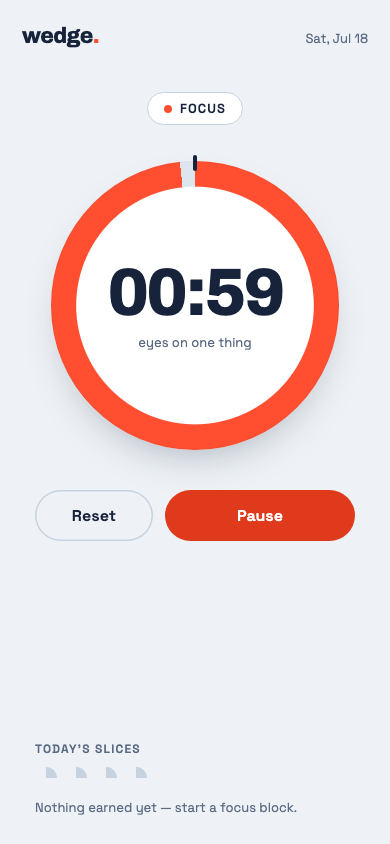
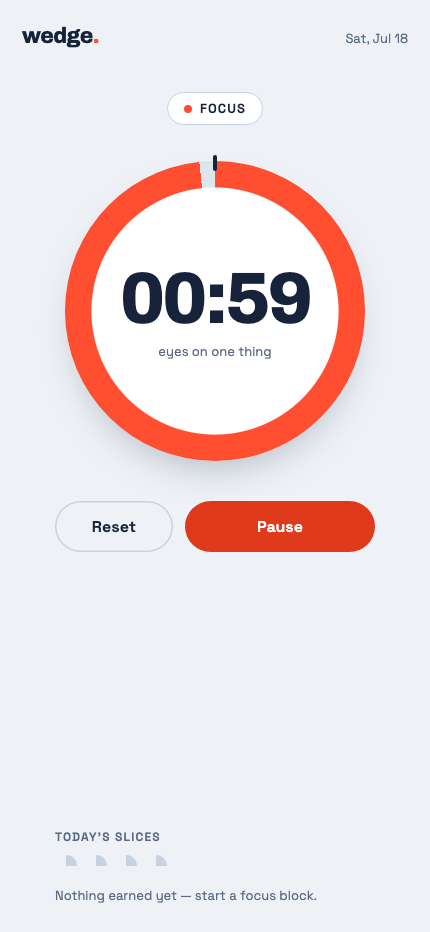
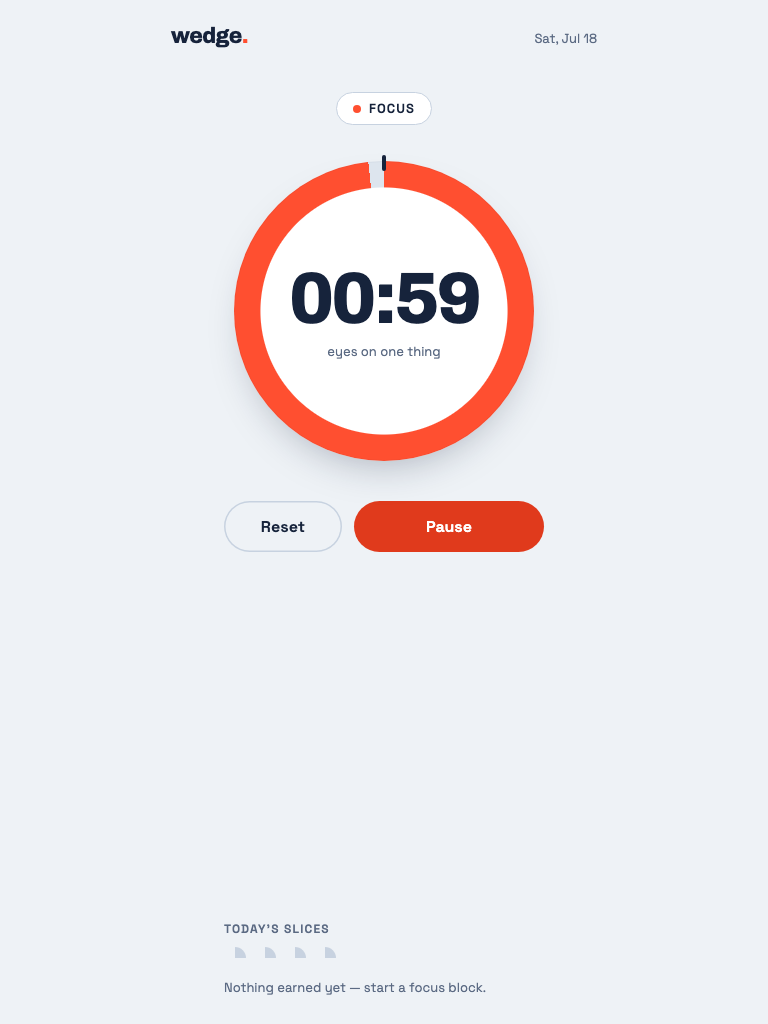
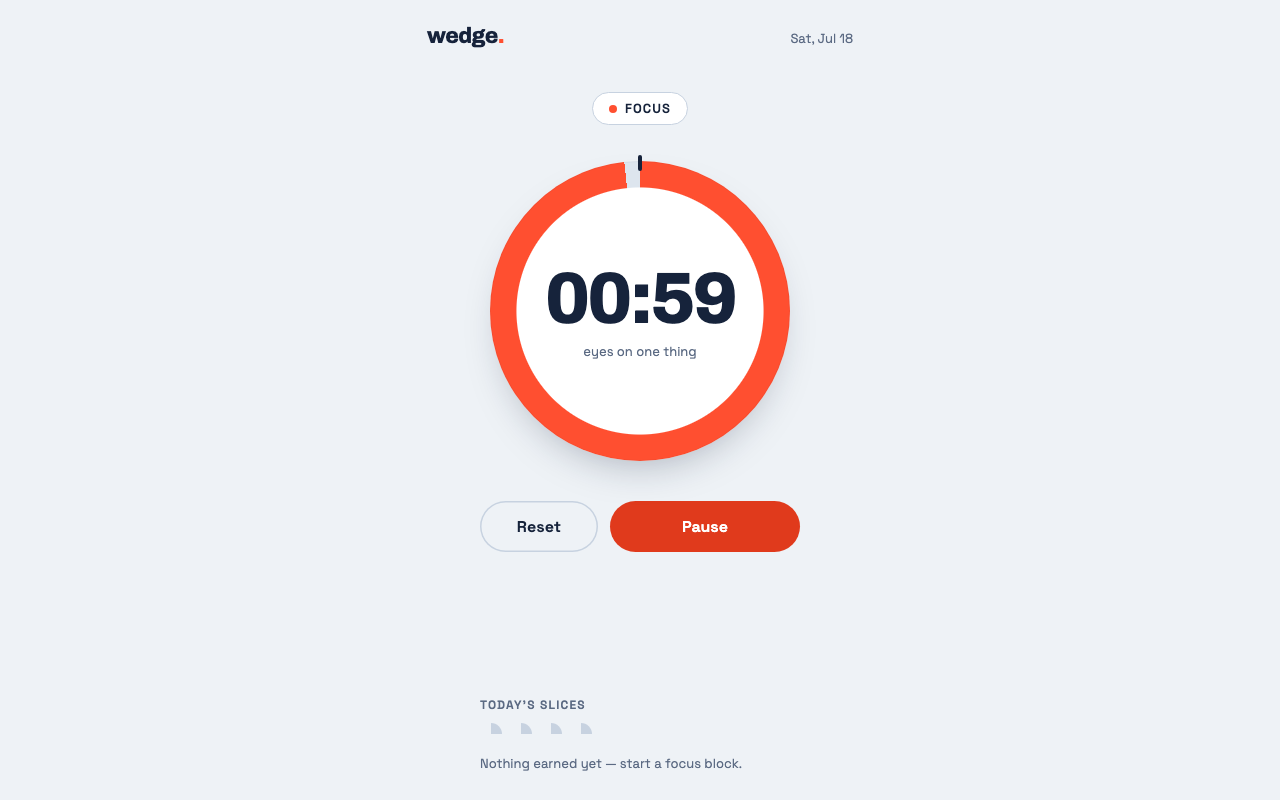
Turns “the tests pass” into “here's a real user doing the thing, with receipts.” At review stage, it drives your actual app — real dev server, real database, real Chrome — through the journeys the ticket promised, asserts every step, screenshots every state, and commits the evidence next to the PR.
This is not a mockup. Every frame above came out of proof/pomodoro/ in the repo — the pack the skill produced for a one-file pomodoro app, checked in beside it. The recordings are Playwright's, the ledger is report.json verbatim, the sweep is the five viewports it swept. Read the committed report →
02
/remynd
Your coding agent forgets everything between sessions. Your Mac doesn't. ReMynd records your screen and reads the text off every frame; this wires that into Claude Code and Codex, so the agent opens every session already knowing what you were working on — and keeps knowing it as you work, not just at the moment the session opened.
Live demo — the session digest, replayedrecreated session · synthetic activity
claude — ~/acme-checkout
The format above is the real thing — that's the shape of the block the SessionStart hook actually injects, and the ranked-app, time-by-app and verbatim-screen-text sections are the ones it really emits. The activity in it is invented. A demo of this skill is by definition a demo of somebody's screen history, and publishing mine isn't a trade I'll make — so the workday shown is a fictional one. What actually gets sent →
03
/product-launch-video
Ask for a launch video and get one. The skill builds 45–90 second SaaS launch films in the kinetic-typography-plus-UI-showcase style: word-by-word motion-blur headlines, camera moves with rack focus over a fake product UI, an oversized cursor, beat-cut pacing, logo outro. It's Remotion underneath — React renders the frames, so every shot is code you can edit.
Live demo — a film this skill made80s · 1080p source · sound on
Real output. This is the Smart Tasks launch film for ReMynd, built on this skill's own Remotion template — same KineticHeadline, CameraRig, Swoosh and LogoOutro components that ship in templates/. Re-encoded to 720p for the web; the master renders at 1920×1080.
04
/ux-psychology
Six psychology principles behind products people can't put down — smart defaults, the goal gradient, reciprocity, the IKEA effect, loss aversion, anchoring — each one written as a rule and a before/after, so Claude can apply it to a screen instead of admiring it. Distilled from a uxpeak breakdown; one of three skills in design-skills.
Rule: pre-select the most common choice for every field. Don't make users think when you already know the answer. 70–90% never change a default — a default reads as a recommendation.
Before
Find a stay
WhereAnywhere
Check inAdd date
Check outAdd date
GuestsAdd guests
RoomsAdd rooms
Search
Five decisions before anything happens. Every empty field is a chance to leave.
After
Find a stay
WhereSan Francisco
Check inFri, 12 Sep
Check outSun, 14 Sep
Guests2 adults
Rooms1 room
See 12 results
Same screen, same fields — but the job changed from "fill this out" to "scan and adjust", and the button says the results already exist.
Rule: never start a user at 0%. Find something they've already done and count it. The car-wash study: a 10-stamp card with two pre-filled beat an 8-stamp empty card at nearly double the completion rate — for the same eight washes.
Before
Set up your profile
0% complete
Full nameRequired
HeadlineRequired
PhotoRequired
Continue
0% says "you haven't started and there's a lot ahead" — deflating even when the work is minimal.
After
Set up your profile
20% complete — nice start
✓
AccountCreated ✓
HeadlineNext
PhotoThen this
Keep going
Same fields, no extra work — the account they already made is counted as step one. 0% feels like standing still; 20% feels like momentum.
Rule: deliver genuine value before asking for anything. Gating results behind a blur says you're holding them hostage — like a restaurant asking for your card before showing the menu.
Before
Your site report
72/100
Largest paint 4.1s
No image compression
Render-blocking CSS
🔒Create an account to see your reportIt only takes a minute
Sign up to unlock
The user has received nothing and the app already wants something. They walk.
After
Your site report
72/100 · scanned in 4s
Largest paint 4.1sfix
No image compressionfix
Render-blocking CSSfix
HTTPS + HSTSpassed
Want the complete breakdown, with step-by-step instructions?
Save my report
A real partial result first — score, top issues, what passed. Reciprocity does the rest; the sign-up never reads as a wall.
Rule: let users create or choose something of their own before you ask them to sign up. Leaving should feel like abandoning something they made, not skipping a form.
Before
Create your account
Join 40,000 professionals
Emailyou@work.com
Password••••••••
Sign up
Already have an account?
Nothing on this screen belongs to the user. Closing the tab costs them nothing, so they close it.
After
Make your card
Alex RiveraProduct Designer
NameAlex Rivera
TitleProduct Designer
Palette
Continue
Pick a colour — it's yours now. That's the endowment effect in one click, and the button says Continue, not "Sign up".
Rule: don't sell what they'll gain; show what they'll lose. Kahneman: losing hurts about twice as much as gaining feels good. And "Maybe later" is the world's easiest escape hatch.
Before
☁️
Go Premium
2 TB of storage
Advanced sharing
Priority support
Version history
Upgrade now
Maybe later
Nothing is at stake. Ignore it and nothing changes — so it carries zero psychological weight.
After
Deleting in 3 days
These 4 files will be deleted
Wedding-raw-2024.zip14.2 GB
Thesis-final-v9.pdf88 MB
Mum-birthday.mov2.1 GB
Tax-2023/340 MB
02 : 59 : 41 remaining
Keep my files
I'll risk it
Their actual files, by name, with a countdown — and the dismiss owns the consequence. Only ever show losses that are real: a fabricated countdown is a dark pattern, and the skill says so.
Rule: never show a cost in isolation. Control what the user sees first — that number becomes the ruler they measure everything else against. The $90 Wagyu exists to make the $40 salmon look reasonable.
Before
Add protection?
Accidental damage, theft and mechanical failure, covered.
$50per month
Cancel any time.
Add protection
No thanks
Alone, $50 triggers an absolute calculation: $600 a year. That's a lot. No thanks.
After
Added to your cart
16″ Pro laptop 1 TB · Space Black$1,900
Protect it?
$50per month
just 2.6%
Add protection
No thanks
Nothing changed about the offer. Everything changed about how it feels — after $1,900, $50 is a rounding error.
These are the skill's own before/after pairs, drawn. Every screen above is built from the description written in ux-psychology/SKILL.md — the booking screen with "12 results waiting", the 10-stamp card at 20%, the blurred report, the pre-signup card builder, the named files with a countdown, the $1,900 anchor. The prose is the skill's; the pixels are this page's. Read the skill →
05
/paywall-design
What actually converts on paywalls, from a study of roughly 3,000 of them. Eleven sections of evidence-backed rules — design the flow not the screen, prefer multi-page, reduce risk with a trial timeline, use friction on purpose, anchor the price — plus an explicit list of the dark patterns not to copy, however well they convert. Distilled from Mobbin's breakdown.
Live demo — a paywall built to the checklisttap a rule, or tap the screen
The rules on this screen
An illustration, not a shipped screen. The paywall is drawn here to the skill's own checklist — every pin is a rule quoted from paywall-design/SKILL.md, and the evidence beside it (Opal, Blinkist, Tide, Ahead) is the evidence the skill cites. The product is invented; the rules are not. Read the skill →
06
/sticky-app-design
Why some apps are weirdly hard to put down, and it isn't the feature list. Three patterns with the receipts — Duolingo's character animations (DAU 14.2M → 34M+ in two years), Phantom using polish to make crypto feel less frightening, Revolut using motion to sell premium — turned into instructions for micro-interactions, celebration states and first impressions. Distilled from a Tim Gabe breakdown.
Live demo — press both buttonssame event, two feelings
Rule: optimise the loop for feeling, not completion. Avoid bare, functional confirmations — a lone green check mark — when an encouraging reaction would land better. Users should end a session feeling good about having shown up; that feeling is what brings them back.
Functional
Daily journal
✓
0of 7 days
Entry saved.
Correct, fast, and entirely forgettable. Nothing here makes tomorrow more likely.
Emotional
Daily journal
🙂
0day streak
Start whenever you're ready.
Identical data model. The bounce, the sparks, the ring filling and the change in tone are the whole difference — and the difference is whether you come back.
Built to the skill's Pattern 1. “Add micro-interactions that give instant emotional feedback: a subtle bounce, a glow, a sparkle… show momentum with progress animations… make feedback feel human, not just functional.” That paragraph, implemented. Both panels respect prefers-reduced-motion. Read the skill →